🤷🏼 How to activate the simulator on local files with Firefox ?
Context
Since Firefox 153, extensions are not allowed to access local files by default.
But if you want to activate the mobile simulator on a local file we of course need to execute a script to create the view.
So to do that you have to manually allow the extension to access local files.
Example of local file URL

You use Chrome, Edge or Brave ? Follow this guide instead.
Activate the option
Step 1
Browse the Firefox add-ons page by loading this URL about:addons,
or click on this picto (on the top right) then click on "Manage extensions".
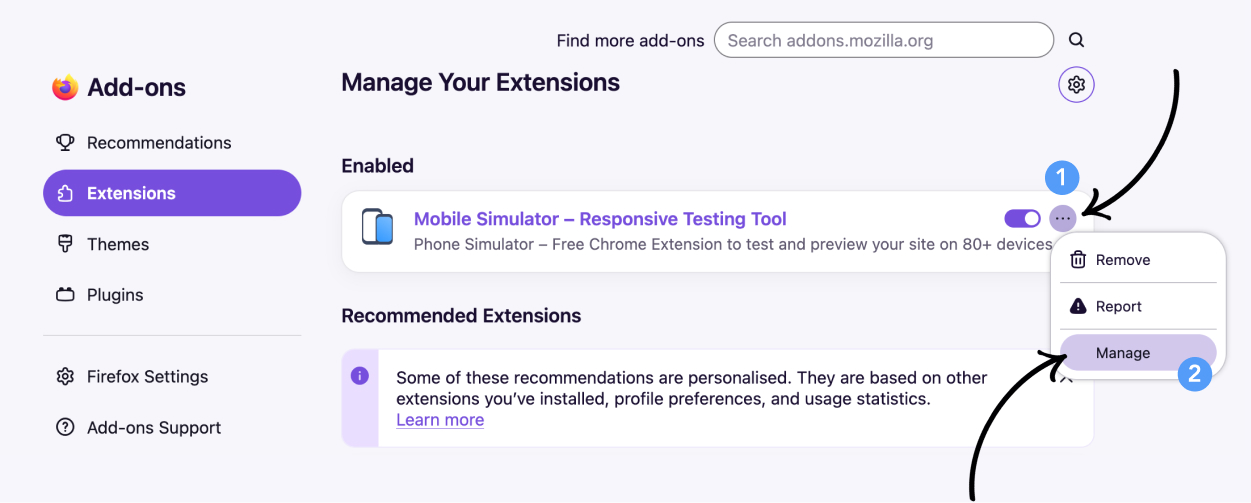
Then find the "Mobile simulator" extension, click on the "..." button and then on "Manage"
Step 2
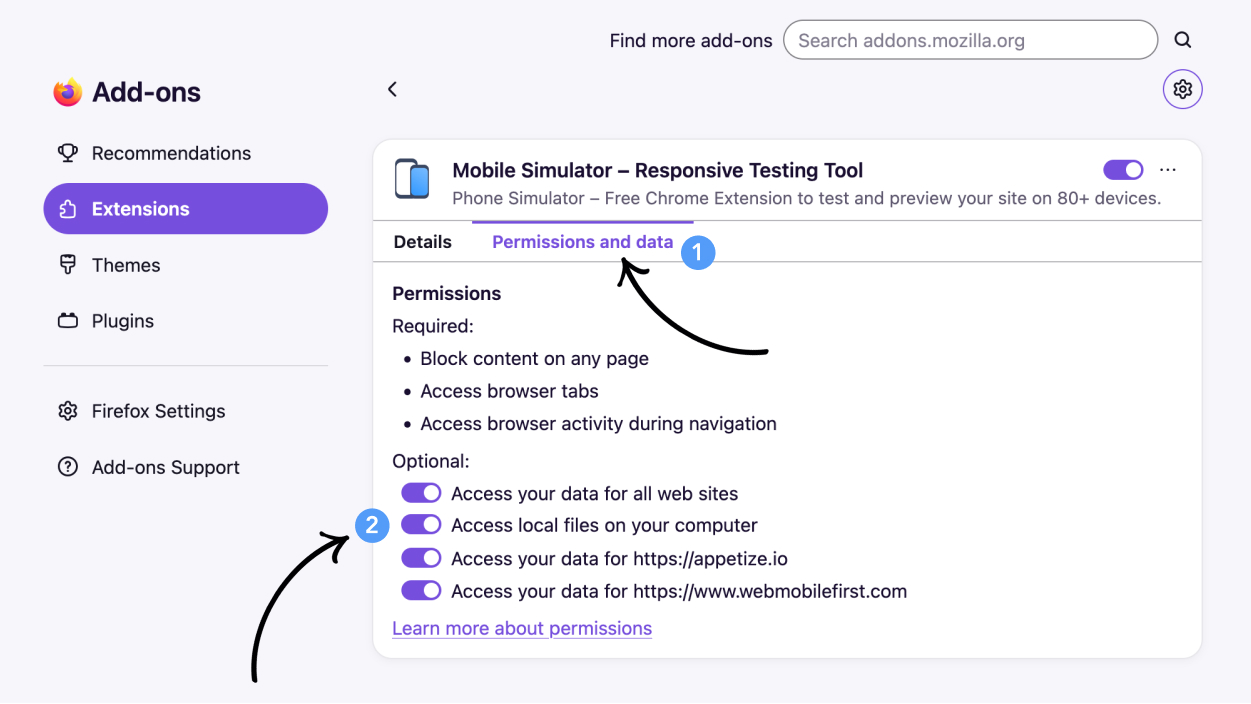
Open the "Permissions and data" tab.
Then activate the option "Access local files on your computer"
Step 3
Go back to your local file (reload it if needed).
Then activate the simulator. It should work now 😊
Contact
If you have an issue you can contact us