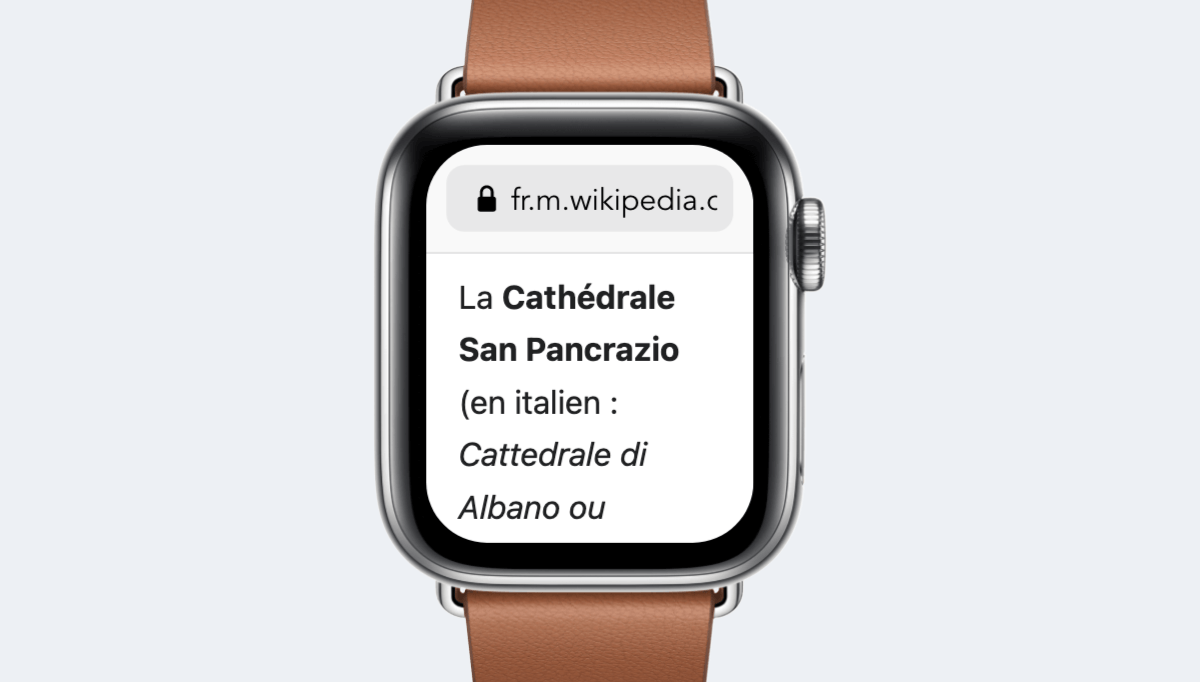
Why test your site on Apple Watch Series 6 (40mm)?
Narrow viewport
With only 162 pixels wide, Apple Watch Series 6 (40mm) is among the most restrictive formats. This is where tables overflow, titles break poorly, and buttons become too small.
2x density
With a density of 2x, Apple Watch Series 6 (40mm) provides a useful benchmark to ensure your images remain sharp without serving unnecessarily large files.
4G connection
This model is representative of 4G usage. Testing on it ensures your page remains usable when images and fonts load slowly.
CSS viewport resolution of Apple Watch Series 6 (40mm)
This is the width your CSS considers. All your breakpoints and media queries compare to this value, not the number of physical pixels on the panel.
162 pixels in width
197 pixels in height (height)
The height remains indicative: Safari, Chrome, and other mobile browsers reduce the visible area with their address bar, which folds on scroll.
Be cautious when analyzing your statistics: some tools only report the manufacturer resolution, never the CSS viewport presented here.
Pixel density of Apple Watch Series 6 (40mm)
The device pixel ratio of Apple Watch Series 6 (40mm) is 2. Your images should therefore be exported 2 times larger than their display size, otherwise they will appear softened on this screen.
Manufacturer resolution of Apple Watch Series 6 (40mm)
This is the actual number of pixels on the panel. This value does not affect your layouts, but it's the one reported by technical specifications and most analytics tools.
- 324 pixels in width
- 394 pixels in height
- 325 pixels per inch (ppi)
- 1.6 inches diagonal, or 4 cm
- Screen ratio of 11:9
User-Agent of Apple Watch Series 6 (40mm)
This string is what the browser of Apple Watch Series 6 (40mm) sends. It is useful for your automated tests, reading your server logs, and server-side detection.
User-Agent
User-Agent string used by Apple Watch Series 6 (40mm), useful for your automated tests and logs.
atc/1.0 watchOS/8 model/Watch6,2 hwp/t8301 build/18T567 (6; dt:226)Media queries and code snippets for Apple Watch Series 6 (40mm)
These snippets are generated from the exact characteristics of Apple Watch Series 6 (40mm). Copy them directly into your stylesheet or configuration.
CSS media query
Targets screens whose width matches that of Apple Watch Series 6 (40mm) and models of the same format.
@media only screen and (min-width: 162px) and (max-width: 196px) {
  /* Apple Watch Series 6 (40mm) */
}
Density media query
Serves high-resolution images to screens of at least 2x.
@media only screen and (-webkit-min-device-pixel-ratio: 2),
       only screen and (min-resolution: 192dpi) {
  /* High-density images and icons */
}
Tailwind configuration
Adds a named breakpoint at the exact width of Apple Watch Series 6 (40mm).
// tailwind.config.js
module.exports = {
  theme: {
    screens: {
      'apple-watch-serie-6': '162px'
    }
  }
}
JavaScript detection
Detects format and density client-side.
const isDeviceWidth = window.matchMedia('(min-width: 162px)').matches;
const isHighDensity = window.devicePixelRatio >= 2;
Meta viewport tag
Essential for Apple Watch Series 6 (40mm) to use its CSS viewport and not a simulated width of 980 pixels.
<meta name="viewport" content="width=device-width, initial-scale=1">Free Apple Watch Series 6 (40mm) simulator
Mobile FIRST includes Apple Watch Series 6 (40mm): your page displays in a viewport of 162 x 197 pixels, with the model's User-Agent, touch events, and scrolling behavior of a real mobile.
This is where the difference with Chrome DevTools' responsive mode is seen: DevTools resizes a window, the extension replicates the device's browser and allows exporting shareable screenshots and videos.
- 01 Install the extension — Add Mobile FIRST to Chrome, Firefox, or Edge. Installation is free and requires no account.
- 02 Open the page to test — Go to the URL to check, including a local address like localhost:3000.
- 03 Choose Apple Watch Series 6 (40mm) — Select Apple Watch Series 6 (40mm) from the list of devices. The viewport switches to 162 x 197 pixels, and the mobile User-Agent is applied.
- 04 Check rendering — Scroll, change orientation, test your forms, then capture an image or video to share.
Test your site on Apple Watch Series 6 (40mm) directly in your browser, without buying the device.
- Apple Watch Series 6 (40mm) available in the device list
- Real viewport, User-Agent, and touch events
- Also works on localhost and in pre-production
- Exportable screenshots and videos
Comparison with similar models
The neighboring formats of Apple Watch Series 6 (40mm) are the ones to test right after, as they reveal poorly placed breakpoints.
| Model | CSS Viewport | Pixel density | Manufacturer resolution |
|---|---|---|---|
| Apple Watch Series 6 (40mm) | 162 x 197 | 2x | 324 x 394 |
Apple Watch Series 6 (40mm) PNG mockup
To present a mockup or capture in a realistic frame, the transparent mockup of Apple Watch Series 6 (40mm) is available for free download.
Download for freeFrequently asked questions about Apple Watch Series 6 (40mm)
What is the CSS viewport resolution of Apple Watch Series 6 (40mm)?
The CSS viewport of Apple Watch Series 6 (40mm) measures 162 pixels wide and 197 pixels high. This is the width to use for defining your media queries, not the manufacturer's resolution.
What is the pixel density of Apple Watch Series 6 (40mm)?
The device pixel ratio of Apple Watch Series 6 (40mm) is 2. Each CSS pixel is thus displayed by 2 physical pixels, requiring you to provide your images in 2x to keep them sharp.
What is the screen resolution of Apple Watch Series 6 (40mm)?
The panel of Apple Watch Series 6 (40mm) displays 324 x 394 physical pixels. This is the value reported by most analytics tools, while your CSS works on a viewport of 162 x 197 pixels.
What is the User-Agent of Apple Watch Series 6 (40mm)?
The User-Agent of Apple Watch Series 6 (40mm) is: atc/1.0 watchOS/8 model/Watch6,2 hwp/t8301 build/18T567 (6; dt:226)
How to test my site on Apple Watch Series 6 (40mm) without the device?
Install the Mobile FIRST extension on Chrome, Firefox, or Edge, then select Apple Watch Series 6 (40mm). Your page displays in a viewport of 162 x 197 pixels with the corresponding mobile User-Agent, in two clicks and for free.
What is the difference with Chrome DevTools' responsive mode?
DevTools resizes the window and applies partial emulation. Mobile FIRST additionally applies the User-Agent of Apple Watch Series 6 (40mm), touch events, scroll behavior, and the actual appearance of the device, and allows capturing directly usable images and videos.
Can I test a localhost address on Apple Watch Series 6 (40mm)?
Yes. The extension works on any URL open in your browser, including localhost:3000, 127.0.0.1, or a password-protected pre-production environment.
Do you need to buy a Apple Watch Series 6 (40mm) to test your site?
No. The simulation covers the vast majority of development needs at no cost. A final test on a real device is still recommended before critical production deployment, but it's no longer necessary for each iteration.
Which media query to use to target Apple Watch Series 6 (40mm)?
A media query on the exact width targets Apple Watch Series 6 (40mm): @media only screen and (min-width: 162px). Combine it with the pixel density to precisely target this model and those sharing its format.